Every account you have, in one inbox, one calendar and one address book.
Pimkin connects to Gmail, Microsoft 365, iCloud and other email accounts, and puts their mail, calendars, contacts and tasks side by side. Your accounts stay where they are. You connect each one once.
Web · iPhone and Apple Watch · Android (in testing) · Mac, Windows and Linux
What's in it
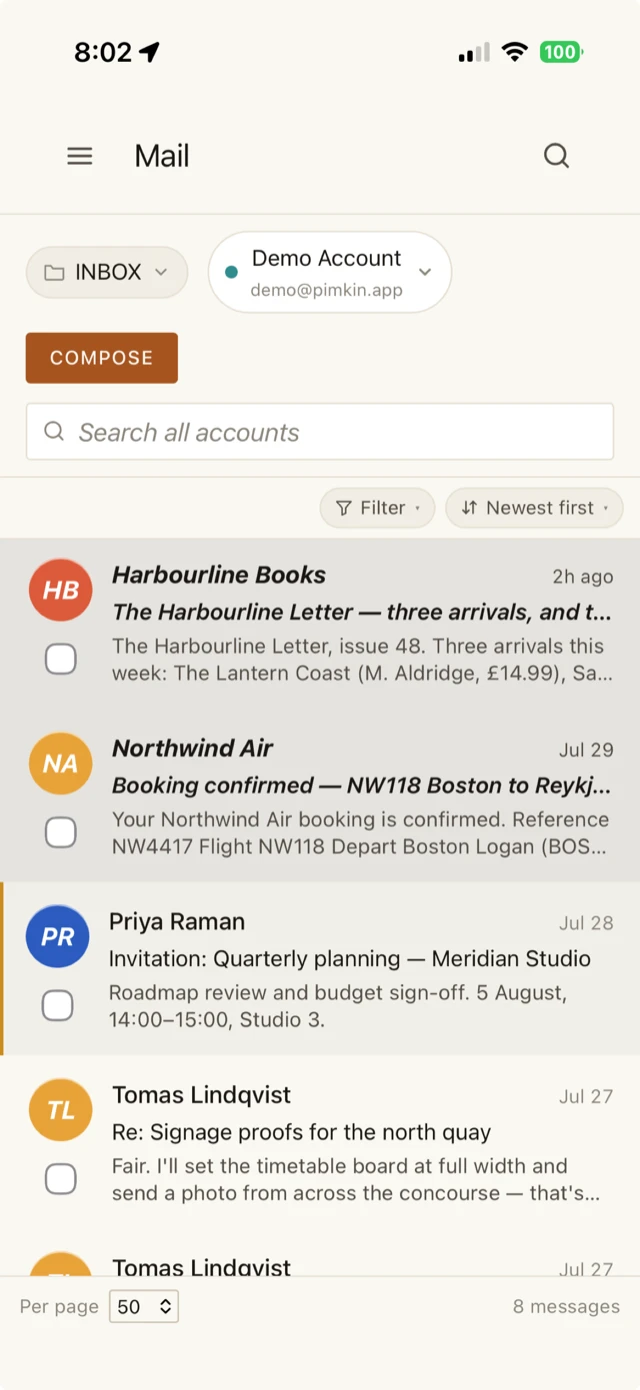
One inbox for every account, with conversations grouped into threads. A reply goes out from the account the message came to.
More about mailCalendar
Every calendar in one grid, each in its own color. Accept an invitation from the email it arrived in, and changes save back to the calendar they belong to.
More about the calendarContacts
One address book across Google, Microsoft 365, iCloud and your company directory. Call, email or open a map from a contact's card.
More about contactsTasks
Google Tasks, Microsoft To Do and your other task lists next to your mail and calendar, synced both ways.
More about tasksWorks with the accounts you have
Connect each account once. What you change in Pimkin is saved to that account, and what changes there shows up in Pimkin.
- Gmail
- Microsoft 365
- iCloud
- Google Calendar
- Google Contacts
- Google Tasks
- Microsoft To Do
- Any standard email account
- Company directories
How Pimkin is run
A service we run for you
You have nothing to install or look after. The web app, the phone apps and the desktop app all show the same mail, calendars, contacts and tasks.
Your data is not for sale
No ads, no profiling and no resale. The sign-ins that let Pimkin reach your accounts are encrypted at rest, with a key only the service holds.
Updates
The iPhone app updates from the App Store and the Android app from Google Play. The desktop app checks every update's signature before it installs, and installs when you say so.
Questions
Is Pimkin free?
Pimkin is free while it is in active development. You bring your own accounts, and Pimkin puts them in one place.
Do I have to move my email?
No. Pimkin connects to your Gmail, Microsoft 365, iCloud or other email, calendar and contacts accounts and works alongside them. Mail you send goes out from your own account.
How do updates work?
On iPhone through the App Store, on Android through Google Play. The desktop app checks each new release against a published signing key before it installs it, and asks before it does.
Does it work offline?
Partly. The desktop, iPhone and Android apps keep a copy of your mail, calendars, contacts and tasks, so you can read everything without a connection. Changes you make offline, such as moving or deleting mail or editing an event, a contact or a task, are saved and sent when you reconnect. Sending a new email needs a connection; one written offline is kept as a draft.
Where does my data live?
In Pimkin's hosted service. The sign-in credentials that let Pimkin reach your accounts are encrypted with a key held only by the service, and never shipped in any app you download. Your data is never resold or profiled.